Frequently asked questions about Sensory Board
What is a digital sensory stimulation board?
It is an interactive tool that simulates a physical sensory board (similar to a busy board) directly in the browser. It allows students to interact with buttons, lights, sounds and visual effects from any device with a screen, without needing physical materials or an internet connection. It is especially useful in preschool and elementary school to work on attention, cause-and-effect and sensory stimulation in a playful way.
What age range is the sensory board designed for?
It is designed primarily for preschool (3 to 6 years) and the first grades of elementary school (6 to 8 years), though it can be adapted to any level depending on the widgets chosen. In early childhood education it works for free sensory exploration. In elementary school it can be used to work on sequences, counting, color recognition or as a transition tool between activities.
What types of widgets does the board have?
The board includes 10 types of interactive elements: Button (activates a sound and visual effect when pressed), Switch (on/off state), Counter (adds and subtracts with visible number), Traffic Light (red, yellow, green with different sounds), Dice (rolls a standard or special die), Piano (8-note keyboard of the C major scale), Surprise Door (reveals an animated emoji), Light (changes color on click), Bell (chime sound with animation), and Applause (confetti rain with celebration sound).
How is the board used in the classroom?
The teacher sets up the board in builder mode by choosing the widgets and their layout in the grid. Then activates play mode and projects the screen or hands the device to the students. Each widget responds to touch or click with immediate sounds and visual effects. It is ideal for use on an interactive whiteboard, shared tablet or classroom computer.
Does it need an internet connection to work?
It only needs a connection the first time to load the tool. Once opened in the browser, it works completely without internet: all sounds are generated internally with the Web Audio API and there are no external images to load. You can leave it open in the browser throughout the class without worrying about the connection.
What board sizes can I create?
You can choose between four grid sizes: 2x2 (4 widgets), 2x3 (6 widgets), 3x3 (9 widgets) and 3x4 (12 widgets). For younger children or simple activities, the 2x2 or 2x3 board is sufficient. For more complex activities or larger groups, the 3x4 allows greater variety of widgets on screen.
Can I use the dice for math activities?
Yes. The Dice widget includes a standard die (D6) and special dice options (D8, D10, D12, D20), making it useful for probability games, counting and recreational math in elementary and secondary school. When rolled, it displays the number with animation and a sound, which adds dynamism to any activity that uses randomness.
Does the piano teach musical notes?
The Piano widget plays the 8 notes of the C major scale (C, D, E, F, G, A, B, C) with real frequencies. Each key has its name visible. It works for free musical exploration, auditory note recognition and as a practical introduction to music in the classroom, especially for preschool and elementary school.
Can structured sensory activities be done with this tool?
Yes. You can design specific boards for different objectives: a routine board (traffic light for silence, bell for activity start, applause for closing), a free exploration board (colored buttons and lights), or a math game board (counter, dice, traffic light). The free configuration allows adapting it to almost any classroom dynamic.
Does it work on tablets and mobile devices?
Yes. The board is optimized for touchscreens. All widgets respond to touch with the same immediacy as a mouse click. The design adapts to screen size and the widgets are distributed in the grid to make the best use of available space. It is compatible with Android tablets, iPad and any modern browser.
What is a busy board and how does it differ from this digital sensory board?
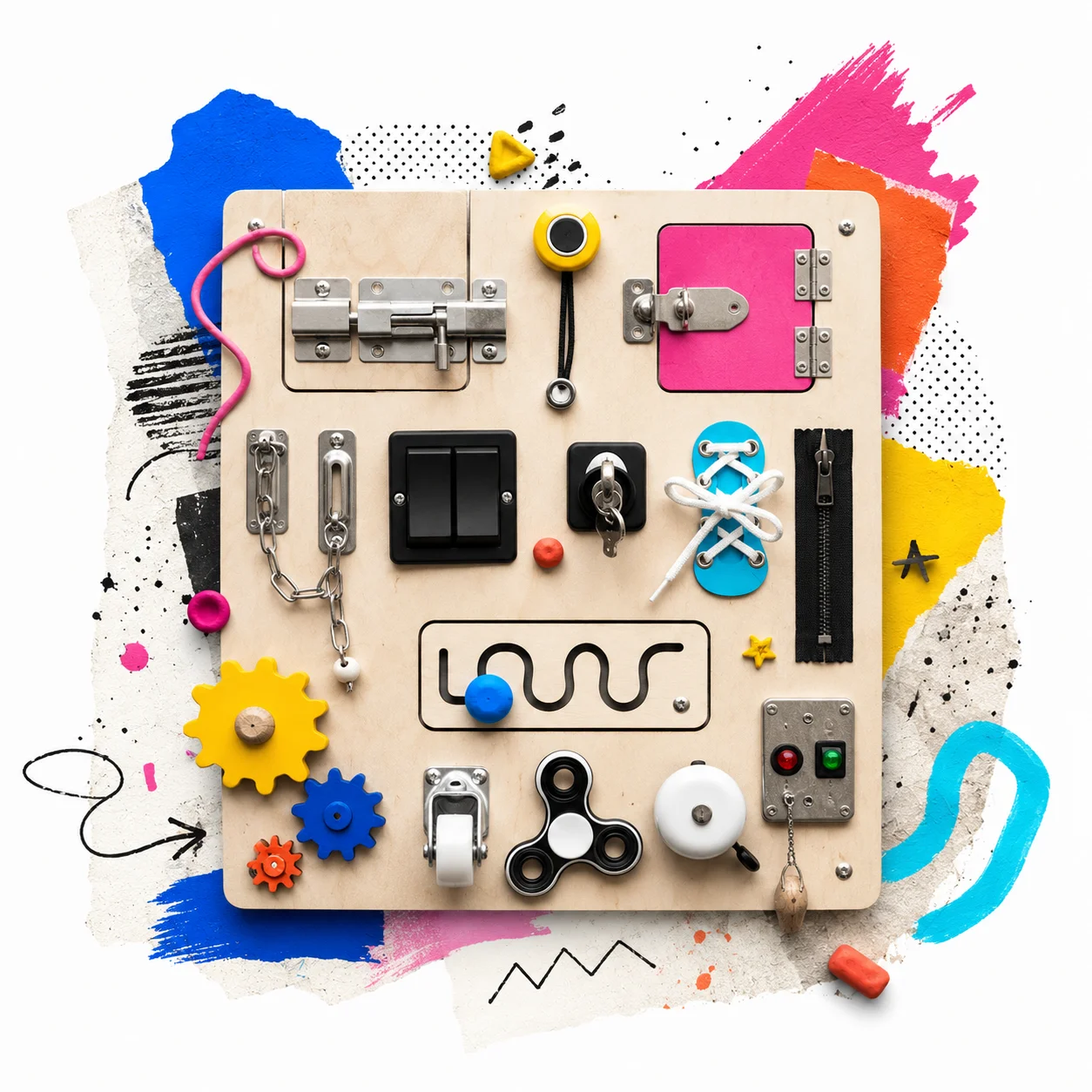
A busy board (also known as an activity board or didactic panel) is a physical panel with buttons, keys, switches and latches that stimulates fine motor coordination and sensory exploration in young children. This digital sensory board fulfills the same function of exploration and interaction — touching, activating, observing results — but in digital format: no physical materials, no risk of loose pieces and with the advantage of being usable on a projector, tablet or computer. It is the digital version of the busy board, ideal for the classroom or when the physical board is not available.
Does this sensory board follow the Montessori approach?
Yes, in its core concept. The Montessori method promotes autonomous learning through materials that children can explore freely, where each action has a visible and immediate consequence. This digital sensory board replicates that logic: each widget responds to touch autonomously (without teacher intervention), the child controls the pace of exploration and the effects are immediate and concrete. It is not a certified Montessori board, but it applies its principles of active manipulation and discovery learning in digital format.
Can it replace a handmade wooden sensory board?
Handmade sensory boards (built with wood, latches, buttons and textures) have tactile advantages that no screen can replicate. However, the digital sensory board offers unique benefits: it can be used without prior preparation, takes up no physical space, works on any device with a screen and can be reconfigured in seconds. It is ideal as a complement to the physical board or as an alternative when it is not possible to have materials in the classroom.
What is the difference between a sensory panel and a didactic board?
The terms are used similarly in the educational field. A sensory panel usually refers to a support (physical or digital) with visual, auditory or tactile stimuli for sensory exploration. A didactic board is any interactive learning tool organized in board format. This digital sensory board combines both concepts: it is didactic because it has clear pedagogical objectives (counting, cause-and-effect, emotional regulation) and it is sensory because it involves stimuli of sound, color and movement in each interaction.
Can it be used as a didactic board for babies and kindergarten children?
Yes, though with adaptations depending on age. For children aged 1 to 2, it is best for an adult to operate the tablet or screen while the child observes the visual and sound stimuli (guided cause-and-effect). From 2-3 years old they can touch directly on a touchscreen. For kindergarten (3 to 6 years old) the board is completely autonomous: they can explore the widgets without prior instructions. The Button, Light, Bell and Applause widgets are the most accessible for the youngest children due to their immediate and visual response.
What competencies does the sensory board develop in students?
Depending on how it is configured, the board works on multiple competencies: digital literacy (using interactive screen tools), social-emotional competence (emotion recognition and regulation with the calm thermometer and guided breathing), logical-mathematical thinking (counter, dice, sequences), communication and expression (AAC board, yes/no/I want response buttons) and sustained attention and executive function (sequential exploration, bubbles, traffic light). The same tool can be oriented toward different competencies depending on the widgets chosen and the pedagogical objective.
What pedagogical approaches is this board compatible with?
The board is compatible with several approaches: Montessori (autonomous exploration with immediate response to each action), game-based learning (gamification with dice, counter and celebrations), Universal Design for Learning — UDL — (multiple forms of participation, representation and expression), and constructivism (the student builds their experience through direct interaction). It is also compatible with active pedagogies, social-emotional learning (SEL) and neuroeducation-based approaches, especially in Emotions, Calm and Relaxation boards.
How can it be used in psychopedagogical sessions?
In individual or group sessions, the board works for multiple moments: opening the session by assessing the student's emotional state (calm thermometer), working on sustained attention and executive function (bubble sequence, traffic light, color sequence), practicing emotional regulation (guided breathing with customizable timings) and closing with a predictable routine (bell, applause, final breathing). It also works as a bonding and motivation tool in initial sessions, especially with students who show resistance or anxiety in the consultation.
Is it useful for working with students with ASD, ADHD or special educational needs?
Yes. For students with ASD, the board offers predictability (each widget always responds the same way), controlled stimulation (only active widgets respond) and augmentative and alternative communication support (AAC board with Yes/No/I want/Help buttons). For students with ADHD, short-duration widgets such as bubbles, buttons and dice work as active breaks between tasks. The absence of advertising, notifications or complex navigation makes the board a predictable and safe environment for any student with special educational needs.
Can it be used in speech therapy or language therapy sessions?
Yes. The piano is useful for working on auditory discrimination and sound recognition. The traffic light and bell structure communicative turns with a clear visual signal. The AAC board buttons (Yes/No/I want/Help/More/Done) support functional communication and communicative intent. The surprise door can motivate spontaneous verbal production ('What's inside?') and the Emotions board facilitates work on pragmatics and emotional expression.
Does it work in virtual classes or hybrid environments?
Yes. The board can be shared on screen during video calls (Zoom, Meet, Teams) so the teacher can operate it live while students watch. In hybrid classes, in-person students can interact directly on the digital whiteboard or tablet, while remote students follow the shared screen. The direct link can also be sent so each student opens their own board on their device and works in parallel, synchronously or asynchronously.